Security considerations
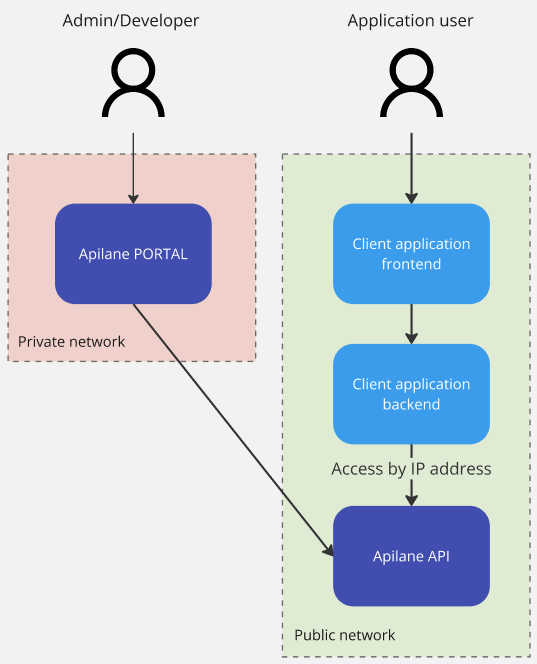
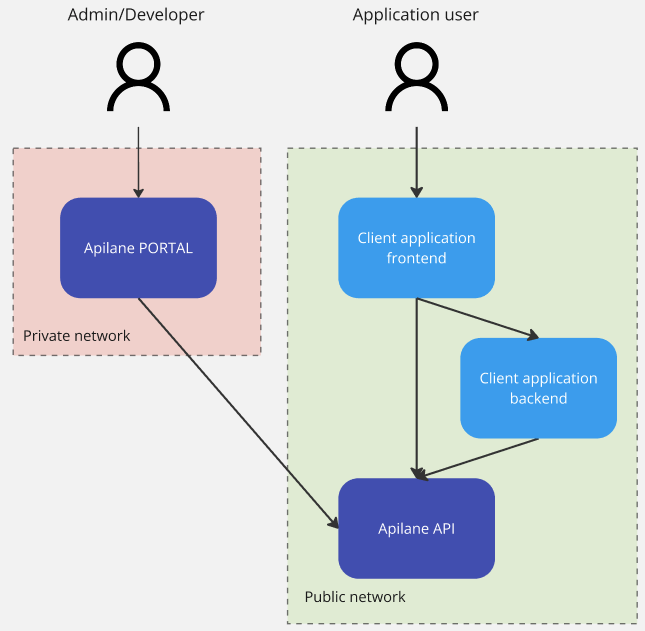
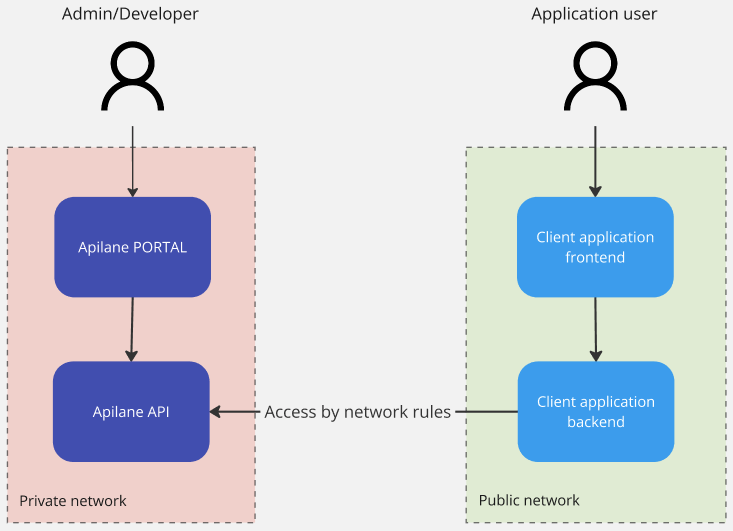
An Apilane Instance consists of 2 deployments, the Apilane Portal and the Apilane API. The Portal is a developer management tool — client applications do not need access to it. The API is the application server and should be accessible from client applications.
Malicious traffic
Apilane does not offer facilities for identifying malicious traffic towards the server such as DDoS attacks. This is a developer concern and should be taken into account for applications open to the internet.
What Apilane offers is rate limiting management per entity and action. Visit rate limiting for more info.
Apilane Portal
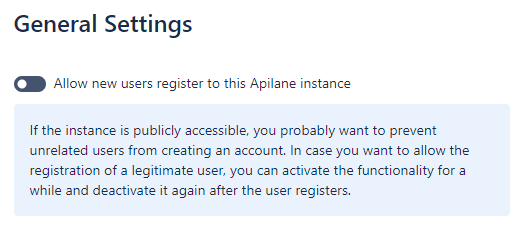
Access to the Portal should ideally be restricted to a private network. If that is not possible, you should disable new user registration from the instance settings (image below) to prevent unwanted users from registering to your Apilane Instance.
Note
You may temporarily enable user registration, to allow a valid user registration and disable again right after.
Portal authentication
The Portal uses ASP.NET Identity with cookie-based authentication (Apilane.Portal.Identity). Portal passwords require a minimum of 8 characters. Data protection keys are persisted to the FilesPath directory.
Apilane API (Server)
Application token
Every API request requires an application token — a GUID that identifies which application the request targets. This token is passed as a query parameter (apptoken) or in the request headers. While the token identifies the application, it does not authenticate the user.
Token vs authentication
The application token is public and can be embedded in client code. User authentication is handled separately via auth tokens obtained through the login endpoint.
Authentication tokens
When a user logs in, they receive an authentication token. This token:
- Expires after a configurable period of inactivity (
AuthTokenExpireMinutes, set per application) — every authenticated request resets the expiration timer - Can be renewed via the
RenewAuthTokenendpoint before expiration - Can optionally enforce single-session login (
ForceSingleLogin) — each new login invalidates all previous tokens
IP allow/block
Any client application, web or mobile, should have access to the Apilane API, thus most of the times, the Apilane API server is publicly accessible. Depending on the nature of the client application, you can restrict access to the server by IP address on Application level. For more information visit application IP allow/block.
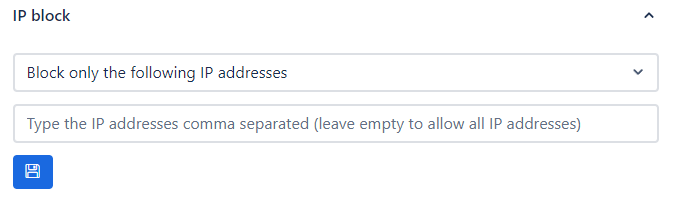
Two modes are available:
| Mode | Behavior |
|---|---|
| Block only the following IPs | All traffic is allowed except from listed IPs |
| Allow only the following IPs | All traffic is blocked except from listed IPs |
Important
These settings are not a replacement for network security tools. Use them as an additional security layer, not as the primary application security mechanism.
Rate limiting
Navigate to the rate limiting section for more information on how rate limiting may increase application security.
Data encryption
Each application has an EncryptionKey that is generated at creation time. This key is used for encrypting sensitive data stored in the application database.
Secure communication
The InstallationKey is a shared secret between the Portal and the API. It is used to validate that Portal-to-API communications are legitimate. Both services must use the same InstallationKey value.
Change the default
The default InstallationKey in the docker-compose example is a sample GUID. Always change this to a unique, random value in production deployments.
Sample setups
Sample setup 1
Sample setup 2
Sample setup 3